You know those cool old-fashioned newspaper headlines they show in the movies? How'd you like to make one yourself?
That's the beauty of The Newspaper Clipping Generator. This fun site allows you to write a headline - and a story - and will generate an image of what you've written right into a virtual newspaper!
You can download the image to save the clipping. Then upload it to social media or a website.
No matter where you go, there you are. But where are you, anyway? This handy navigation app will tell you and help you decide where to go next. CLICK HERE TO FIND OUT MORE >>
Keep up to date on all things digital with the Daily News at Komando.com. You'll find easy, fast video news releases, too! CLICK HERE TO FIND OUT MORE >>
Want to know what stars will be in the night sky before heading out to stargaze? This amazing download shows you accurate stars, planets and nebulas. CLICK HERE TO FIND OUT MORE >>
Adding extra TVs to an audio-video system can be a challenge. With my help and the right hardware, you'll be seeing double in no time. CLICK HERE TO FIND OUT MORE >>
Apple's long-awaited third-generation iPad is finally here! I'll tell you if it lives up to the hype in this special video report. CLICK HERE TO FIND OUT MORE >>
How'd you like to save money on essentials like cable, phone, Internet service, credit card fees and more? Kim Komando shares with you three websites that you can use to get the very best deals.
At a live concert you expect the performer to be in the room. Not so anymore! Yamaha and famed pianist Mike Garson demonstrate a new type of live concert.
Watch my show live or on-demand! Listen on your schedule. Have your questions answered on my message board and more. All for only 99 cents for an entire month! Hurry, this offer ends soon!
The right blinds make a difference. Darken a room. Reduce glare on your TV. I did with Blinds.com! Order your free samples today! Use promo code Kim to save 10%.
I trust my photos, files, and memories to Carbonite Online Backup. You should too. Hard drives die. You need a backup. Sign up now for your free 15-day trial. No credit card required. Get 2 months free if you decide to buy.
Keep money in your pocket. Take advantage of today's low interest rates. Call Quicken Loans at 1-800-QUICKEN. Or use their online tools. Equal housing lender.
The world's best remote access software now gives you access to all your files and applications on your computer from your iPad! Try GoToMyPC FREE for 45 days!
You hear me on the radio, and you know I'm passionate about everything digital. But did you know that I'm ready to extend to you a very special invitation to my Club? I am only offering my Kim's Club membership for the introductory price of just 99 cents until Sunday! This is an offer you should take advantage of immediately.
Here's Exactly What You Get:
Enter My Contests Without Doing a Thing Increase your chances of winning! Club member are automatically entered into my exciting contests - every day!
My National Radio Shows on Your Schedule Listen to my daily and weekend shows when you want in crystal-clear digital audio. It's commercial-free too!
Open Access to All of My Tips, Downloads & More I'll give you 24/7 access to 80 percent more content (free downloads, tips, columns, apps and more) at Komando.com than non-members. That's more than 200,000 pages of unlocked tips, tricks, and secrets you can access directly from any computer!
Watch the Show Anytime for Free I'll also give you access to past shows you can watch for free, and you can watch my show live, too. I have 8 HD cameras that capture the show from all angles. It's like you're in the studio with me. You can even experience behind the scenes and what happens during breaks!
Get Answers to Your Problems and Questions Let me, my research staff, and fellow Kim's Club members help you solve issues you have with anything digital.
If you're totally satisfied, you can choose to continue for just $5.95 per month, but there's absolutely no obligation. No matter what, you've already received a full month of access for just 99 cents!
Sincerely, Kim Komando
How to get your 99 Cent Kim's Club Membership:
Place the One Month Kim's Club membership into your Shopping Cart. The 99 Cent Kim's Club membership offer applies only to this item.
Continue shopping or Checkout.
Type the Coupon Code 99CENTS into the "Special Offer or Gift Card" field below the items in your Shopping Cart and click UPDATE CART, follow the on-screen instructions.
The Kim's Club 99 cents offer for a one month membership will be applied to your order subtotal.
Offer good for orders placed between Friday, March 9 at 5:00 AM MST and Sunday, March 11, 2012 at 11:59 PM MST.
Offer expires 11:59PM MST, Sunday, March 11, 2012. No adjustments to prior purchases. Offer available for new Kim's Club Memberships only. Offer valid only on orders placed online at store.komando.com. This offer may be canceled or modified at any time due to system error, fraud or other unforeseen problem. Void where prohibited.
Terms and conditions of this special 99 Cent Kim's Club Membership Offer: By purchasing this special offer, your first month Kim's Club Membership will be charged the discounted rate of $0.99, a savings of 83%. You may cancel your membership anytime. If you do not cancel your membership before the end of your one month trial, your membership will automatically be renewed at the regular rate of $5.95 per month..
You are receiving this special offer as a subscriber to Kim's Insider newsletter. If you would like to unsubscribe from Kim's Insider newsletter, use this online form.
You may also unsubscribe by sending a request via postal mail. Please include your name, e-mail address and a printed copy of your newsletter e-mail. Send to: Unsubscribe Kim's Insider, 2711 N. 24th St., Phoenix, AZ 85008.
Please do not reply to this email as this address is not monitored. This e-mail contains an advertisement from Komando.com
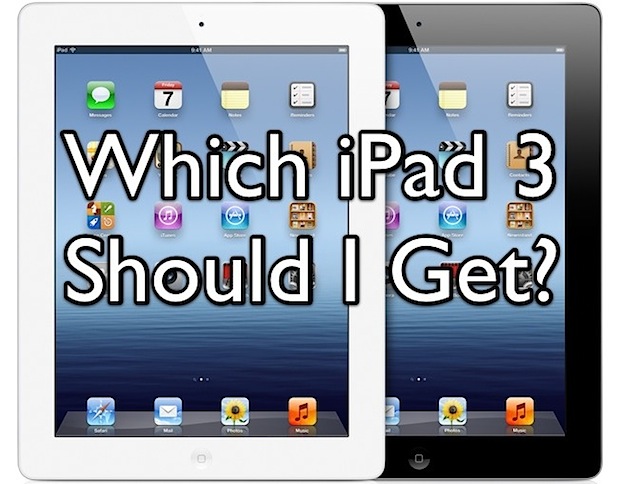
The new iPad is a beautiful thing and will attract many more people to the platform, and so the big question is; which iPad 3 should you get? The answer is pretty simple: buy the 16GB Wi-Fi model. Here are four reasons the base model is perfect, and an attempt to answer questions about color and the never-ending Verizon vs AT&T debate.
16GB is Enough: The average person uses an iPad mostly for browsing the web, reading and writing emails, and using a handful of apps. 16GB of storage is more than adequate for these tasks, and as long as you don’t intend to store a ton of music or movies on the device, it’s very unlikely you’ll run out of space. Remember, things like Netflix, Pandora, iTunes Match, and iCloud stream video and audio to the device rather than storing it, so you won’t use much space with those apps either.
Wi-Fi is Everywhere, 4G LTE is Unnecessary: Most people don’t need an iPad with a cellular connection. First, studies show that most people use the iPad at home in the evening, doing something like sitting on the couch while watching TV. Secondly, the next iPhone is almost certain to have 4G LTE. What’s an iPhone have to do with the iPad? Wi-Fi hotspot of course! You can do this already with an iPhone’s 3G connection, and soon enough you’ll be able to share the next-generation iPhone’s 4G LTE connection with the Wi-Fi iPad model, plus other devices. Frankly, everyone I know with a 3G iPad never or rarely uses the 3G ability, let alone leave the house with the device. Wi-Fi is ubiquitous these days, especially when your iPhone can spawn a hotspot. Save the money.
Price: This is obvious but it’s the cheapest model, why spend more for features you probably won’t use and for space you likely don’t need?
Best Resale Value: The cheapest model holds it’s resale value the best, whereas the 32GB, 64GB, and all 3G models quickly lose their price premium on the resale market.
Keep in mind that iPad 3 specs are the same other than the storage capacity and 4G capability. All models have the same gorgeous Retina display, all models have the same processor and graphics abilities, and all models include the same camera. The only other difference between models ends up being the availability during the initial months, with the 16GB models tending to sell out faster than anything else. To avoid that, you may want to pre-order now.
What About Color? This will be a matter of opinion. The black model tends to make on screen images look their best, simply because a black border is less distracting and emphasize images on the display instead. On the other hand, the white model doesn’t show nearly as many fingerprints and smudges, and the white iPad will in turn look much cleaner than the black model. Ultimately the color comes down to choice, but ask yourself, do you want the iPad to look cleaner? Or do you want the iPad border to emphasize what’s on the screen? Personally I prefer the black model, but for an iPad that gets a lot of use a white model will look nicer since fingerprints don’t really show up on the border at all.
Screw You, I Want the 4G LTE Model Anyway. Should I Get Verizon or AT&T? Ultimately this depends on your service area and where you intend to use the iPad. Coverage and reception quality varies between Verizon and AT&T, and you probably know your location better than anyone. Data plans for both providers cost the same at this point, although Verizon offers a 10GB plan that AT&T doesn’t. How you would consume 10GB of data on an iPad is beyond me, you’d have to be streaming a lot of movies I guess.
What About iPad 2 for $399? Personally I think the Retina display is going to be such a huge difference that it’s worth the extra $100 to get iPad 3. Yes, the iPad 2 at $399 is a great deal, but chances are good that once you see an iPad 3′s display you’re going to wish you had one, much the same way the iPhone 4′s display looks leaps and bounds better than the iPhone 3GS. If you don’t care about screen quality though, sure, save yourself the $100. Actually, you can save $150 and get a refurbed iPad 2 for $349 from Apple’s Online Store.
Do you agree with this advice? Do you disagree? Let us know in the comments.
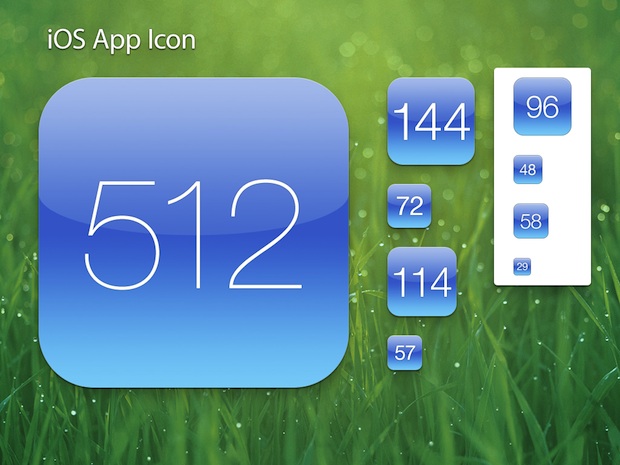
If you’re spending the time and money to develop an iOS app, don’t skimp on the icon. This may sound like silly advice, but the fact is a good icon can make your app stand out in the App Store and on a users home screen, encouraging both downloads and use.
If you’re not a designer it can be challenging and expensive to get a good icon made, but thanks to Louie Mantia on Dribble, you should be able to create a tolerably decent one yourself using a retina iOS app icon template. The template come as a nicely layered PSD file and covers a variety of sizes for the icon, but perhaps most importantly with the new iPad out is the 512×512 pixel template. Start big and refine as you go down, you should have a gorgeous iOS icon in no time.
This will be useful even for web designers and developers who want to use it as a template for the apple-touch-icon.png iOS bookmark icon that appears on a Home screen whenever an individual bookmarks a site.
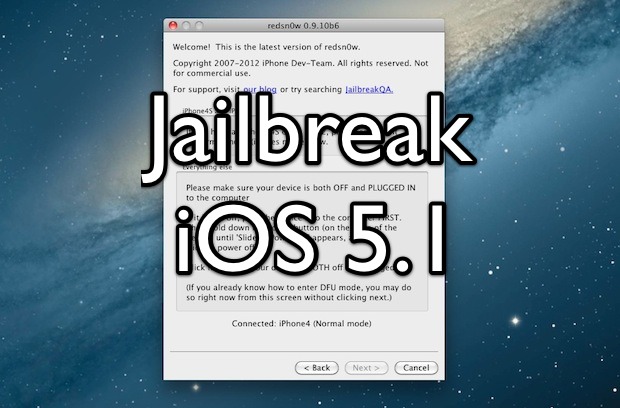
A version of Redsn0w has been released to jailbreak iOS 5.1 tethered. While easy to do and easy to reverse, be sure to understand the difference between a tethered and untethered jailbreak. Put simply, tethered means the device must be connected to a computer to boot properly and become usable. Some consider this annoying and therefore it is not always recommended.
Notice that iPhone 4S, iPad 2, and iPad 3 are not supported by this jailbreak.
Jailbreak iOS 5.1 Tethered with Redsn0w
Turn the iPhone, iPad, or iPod touch OFF
Connect the iOS device to the computer using the power cable
Launch Redsn0w (run as Admin from Windows)
Put the device into DFU mode: hold the Power button and home button together for 10 seconds, then release the Power button while continuing to hold Home for another 10 seconds
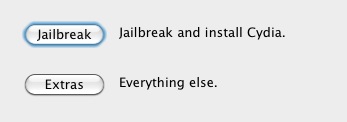
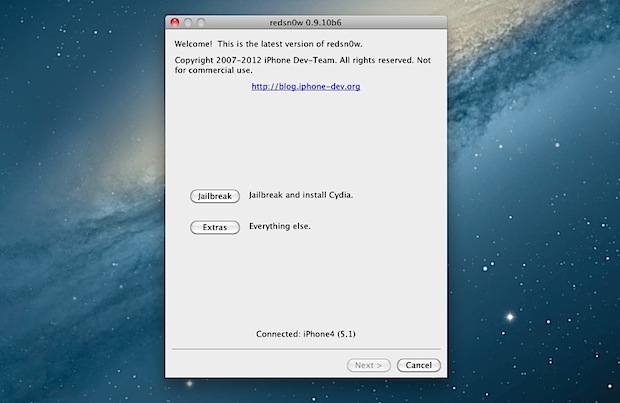
Click “Jailbreak” in Redsn0w to start the jailbreaking process and click “Next” when asked, you’ll see some console gibberish appear on the screen and when finished you’ll be back at the iOS home screen
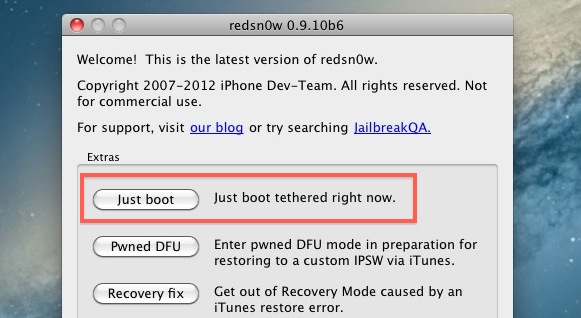
Now you must boot tethered, put the iOS device back into DFU mode (hold Power button & home button for 10 seconds, release Power and hold Home for 10 more seconds) and launch Redsn0w again, click on “Extras” and click on on “Just Boot”
When the iOS device boots, it will be fully usable
Every time the iPhone, iPad, or iPod touch is turned on or off it will need to be booted using the Redsn0w tether. This means if the battery dies or the device is rebooted for any reason, you will need to connect the iOS device to a computer running Redsn0w and choose the same “Boot Tethered” option from the Extras menu. If you jailbreak and have the white Cydia icon this means you did not perform a tethered boot, launch redsn0w and do so to resolve that.
Currently iBooks does not work either, if you’re in the midst of reading a page turning novel you may want to avoid this jailbreak for the time being.
The latest version of iOS 5.1 is already jailbroken thanks to the iPhone Dev Team’s newest release of Redsn0w. The jailbreak is tethered however, meaning that each time the iOS device is rebooted it will need to be connected to a computer running redsn0w for boot assistance. iBooks doesn’t yet work either, but an update is expected to resolve that issue shortly. If neither of these two things bother you, grab the jailbreak and enjoy.
Redsn0w 0.9.10b6 works with the following devices running iOS 5.1: iPhone 3GS, iPhone 4 CDMA & GSM, iPod touch 2nd, 3rd, & 4th gen, iPad 1. Not supported are any A5 based hardware, including iPhone 4S, iPad 2, and iPad 3.
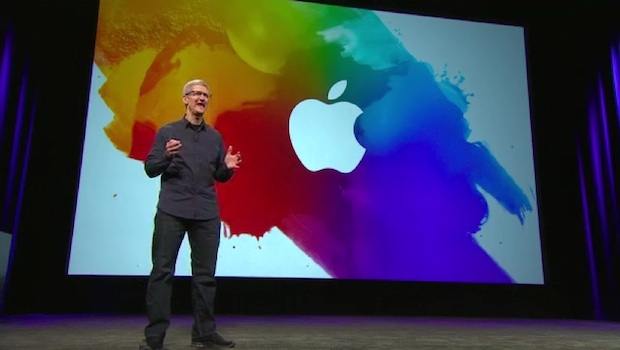
If you like watching Apple keynotes you don’t want to miss the March 7 event video, because who better to show you the new iPad and Apple TV 3 than Apple themselves?
Also mentioned in the keynote are some staggering iOS device sales stats, iOS 5.1, iPhoto for iOS, the iPad 2 price dropping to $399, a few third party apps for iOS, and a nice teaser from CEO Tim Cook about other unnamed innovative products to come this year.
Alongside the new iPad, Apple has started to air a new TV commercial for the device. The ad focuses on the iPads new Retina display, which by all accounts is simply gorgeous in person. Text of the commercial is as follows:
“When a screen becomes this good, colors are more vibrant, words are pin sharp, everything is more brilliant. Because when a screen becomes this good, it’s simply you and the things you care about. The stunning retina display, on the new iPad.”
The resolution of the new iPads display is 2048×1536, twice that of it’s predecessor. The screen is also said to have better color reproduction and improved saturation.
iTunes 10.6 has been released alongside iOS 5.1. The update includes 1080P support for movies and TV shows downloaded from iTunes Store, but otherwise is fairly minor and includes several bug fixes and improves song matching and how album art is handled.
You can grab the 10.6 update directly from Apple at the link below, through Software Update, or through iTunes itself.
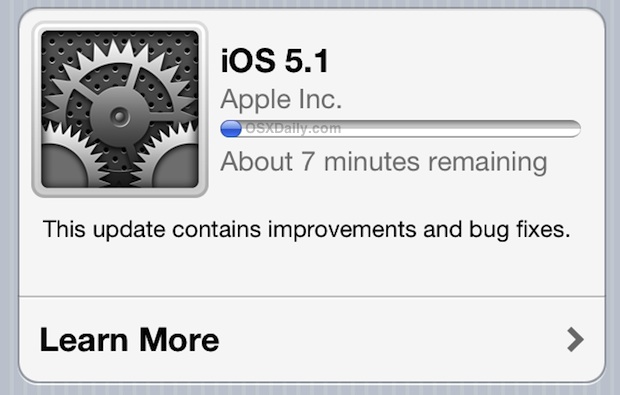
iOS 5.1 has been released, alongside the new iPad 3 and new Apple TV. The update brings a variety of new features and bug fixes to iOS including the ability to delete images from Photo Stream, camera shortcut visible by default on lock screen, improved camera face detection, Japanese language support for Siri, genius mixes for iTunes Match, updated AT&T network indicator, improved battery life, and more.
You can get the iOS 5.1 software update directly on your iPhone, iPad, or iPod touch by using OTA Update, otherwise you can update through iTunes or by downloading the IPSW and performing a manual upgrade.
We have included links to the firmware files below, they are hosted by Apple.
Download iOS 5.1
iOS 5.1 (build 9B176) is compatible with iPad 1, iPad 2, iPhone 3GS, iPhone 4, iPhone 4S, iPod touch 3rd & 4th gen, and iPad 3. Additional builds are available for Apple TV 2 and Apple TV 3.
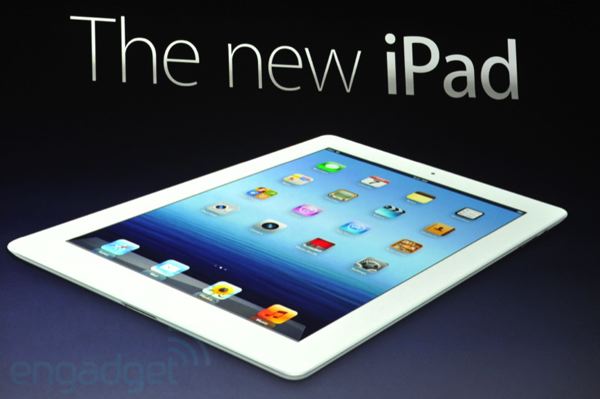
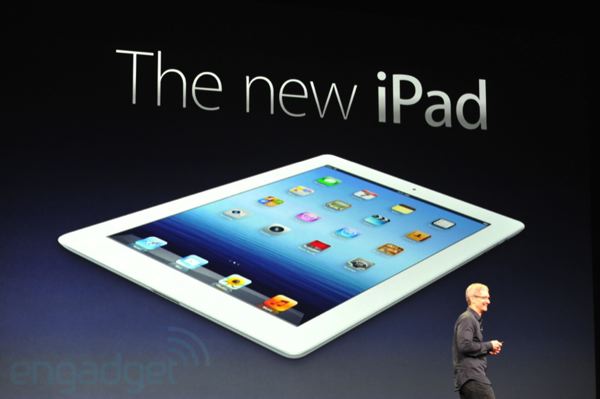
The all new iPad (iPad 3?) has just been announced, and pre-orders start now March 7!
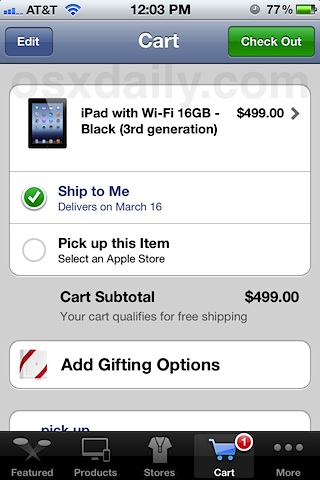
The actual release date is March 16, and you can expect the traditionally giant lines and sell-outs as usual. because of this, pre-ordering is highly recommended if you don’t want to wait in lines at Apple Stores, or deal with the inevitable supply deficits that have occurred with every major new iOS product launch.
You can now pre-order on Apple’s Online Store, either directly on the website or through the mobile app. If you’re having problems checking out through store.apple.com, download the free Apple Store app from iTunes and check out there instead.
It should be noted that the March 16 release date is for the USA, Canada, Australia, Japan, UK, Germany, and France.
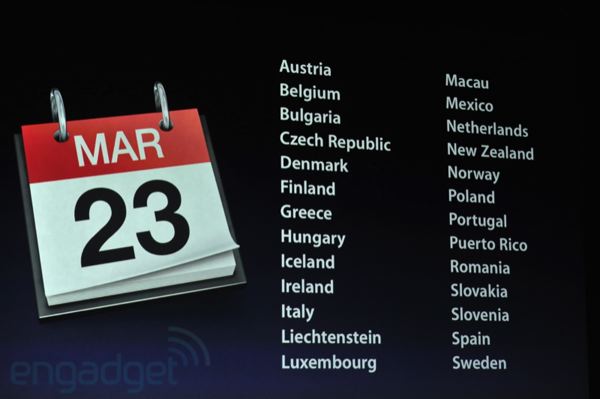
International customers will get the new iPad on March 23, including the following countries: Austria, Belgium, Bulgaria, Czech Republic, Denmark, Finland, Greece, Hungary, Iceland, Ireland, Italy, Liechtenstein, Luxembourg, Macau, Mexico, Netherlands, New Zealand, Norway, Poland, Puertostan, Portugal, Puerto Rico, Romania, Slovakia, Slovenia, Spain, and Sweden.
Also available for order today is the new Apple TV 3 with 1080p, that device will also ship next week and has the same release date.
Thanks to Engadget live stream for the latter images
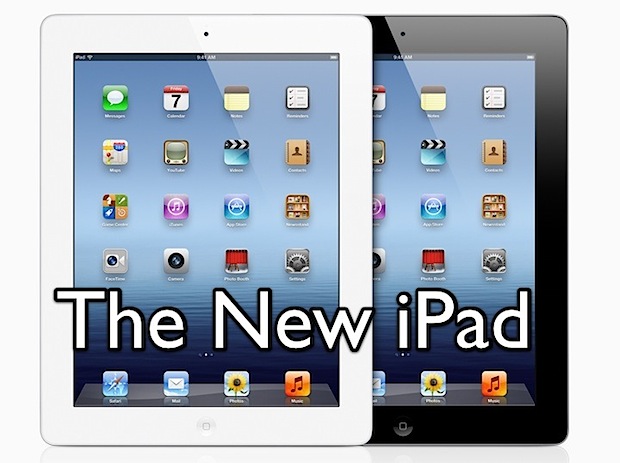
The new iPad has been announced by Apple! As expected, it has an amazing retina display, a big performance boost, and a new model with high-speed 4G LTE capabilities alongside the standard Wi-Fi fare. Here are some more details of the latest iPad:
iPad 3 Features & Specs
Here is what we know about the next iPad:
Retina display, with a resolution of 2048×1536, 3.1 million pixels at 264ppi
A5X Processor, quad-core graphics
5 megapixel iSight camera
1080p video recording
Voice dictation, similar to Siri without the questions
3G & 4G LTE connectivity
10 hour battery life, 9 hour battery on 4G
9.4mm thick, weighs 1.4lbs
Pre-orders start TODAY, available on March 16
iOS 5.1
4G support comes to both Verizon and AT&T. Outside of the USA, 4G LTE will also be offered on Rogers, Bell, and Telus initially, presumably with more carriers to come down the road. The iPad can also be used as a personal hotspot with it’s 4G speeds, although the price of that varies per carrier.
New iPad 3 Prices
Both black & white models will be available, as usual:
New iPad with Wi-Fi Prices
16GB Wi-Fi – $499
32GB Wi-Fi – $599
64GB Wi-Fi – $699
New iPad with 4G LTE Prices
16GB 4G LTE – $629
32GB 4G LTE – $729
64GB 4G LTE – $829
(Officially, the new iPad is called “iPad” and referred to as the “3rd generation” model, but many people will call it iPad 3 anyway.)
You are subscribed to email updates from OS X Daily To stop receiving these emails, you may unsubscribe now.