


OS X Daily: “Unlock an AT&T iPhone From the Web with AT&T Technical Support” plus 3 more |  |

- Unlock an AT&T iPhone From the Web with AT&T Technical Support
- Instantly Scroll to the Top of a Web Page, App, or Screen in iOS
- Mac Setups: iMac 21″ & MacBook Pro 13″ with Lots of iGear
- Stop iOS Asking to “Verify iCloud Password”
| Unlock an AT&T iPhone From the Web with AT&T Technical Support Posted: 21 Apr 2012 11:26 AM PDT
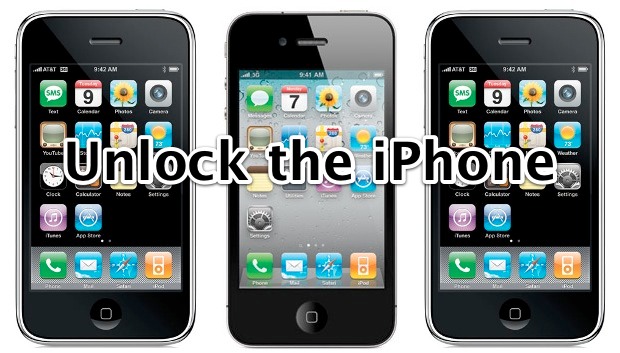
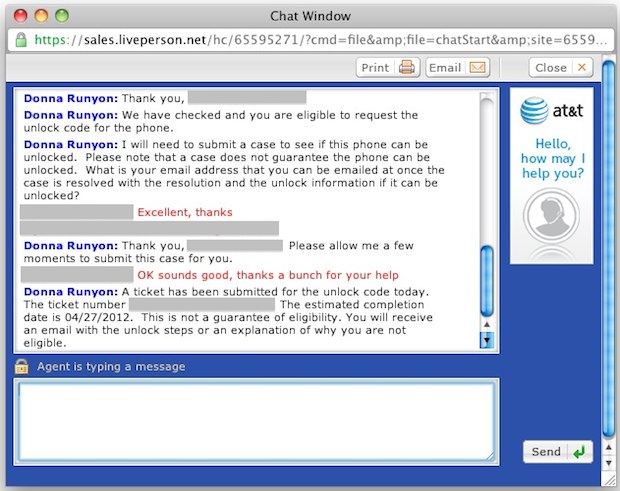
If you own an iPhone that is not part of a contract with AT&T, you can now officially unlock the device for use on other networks. We’ve discussed this before and our previous guide on unlocking the iPhone through AT&T focused on calling a special direct line, but now we’ll show you how to unlock an iPhone entirely through the web with the help of AT&T’s online technical support chat. This method is extremely quick, there are no wait times, and it’s easier for international users or for those without access to an active phone line. Requirements
Assuming you meet all the requirements, jump ahead and start the simple unlock process. Unlocking an iPhone with AT&T Web Tech Support
If everything checks out, the AT&T rep will provide you with a case number and an estimated date of completion for resolution. The date they provide is a rough estimate and by no means represents the date you will get an email from AT&T. Sometimes AT&T sends the unlock emails out within an hour but it can take up to 10 days as well, the time varies widely based on the volume of unlock requests. I have completed this process several times with multiple different iPhone models and it has worked every time, though the time between request and completion has varied.
There are a few potential situations that could complicate the otherwise simple unlocking process:
Once you do receive the unlock instructions from AT&T , they are basically telling you to restore the iPhone to activate the unlock. Backup before doing this so you can get back to where you were, and you’ll know the unlock worked because after restoring you get a “Congratulations, your iPhone is unlocked” message in iTunes.
|
| Instantly Scroll to the Top of a Web Page, App, or Screen in iOS Posted: 21 Apr 2012 10:23 AM PDT
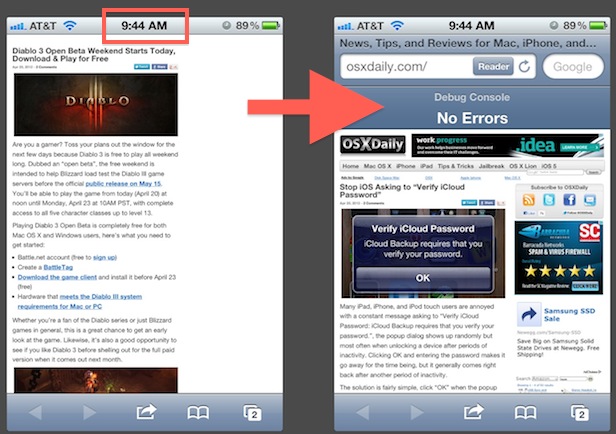
The next time you’re scrolled far down on a web page in Safari, at the bottom of a Contacts list, deep in Mail, or just buried down the screen of any other iOS app, simply tap on the title bar clock in iOS to immediately scroll to the top of the screen. This is one of those tips that is hard to live without as it’s much faster than manually sliding on the screen to return to the top of a lengthy web page or list. The feature works the same on iPhone, iPad, and iPod touch, and is supported by all Apple apps and most third party iOS apps too.
|
| Mac Setups: iMac 21″ & MacBook Pro 13″ with Lots of iGear Posted: 21 Apr 2012 10:11 AM PDT
It’s rare to find a Mac user that doesn’t have other Apple gear, and this Mac setup from Steve B is no exception. The setup includes a little bit of everything:
Like Mac pron? Who doesn’t! Check out more Mac setups, and don’t forget to submit your own Apple gear shots to osxdailycom@gmail.com, please take a decent picture, include a list of hardware shown, and include a brief mention of what you use the gear for.
|
| Stop iOS Asking to “Verify iCloud Password” Posted: 20 Apr 2012 02:42 PM PDT
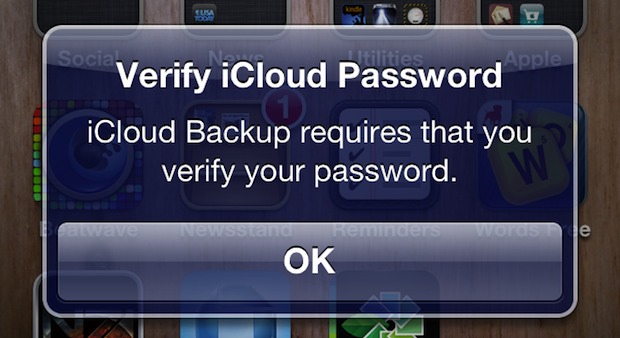
Many iPad, iPhone, and iPod touch users are annoyed with a constant message asking to “Verify iCloud Password: iCloud Backup requires that you verify your password.”, the popup dialog shows up randomly but most often when unlocking a device after periods of inactivity. Clicking OK and entering the password makes it go away for the time being, but it generally comes right back after another period of inactivity. The solution is fairly simple, click “OK” when the popup shows and rather than entering the password click “Cancel” and do the following:
This resolved the problem for me, but if you’re still geting nagged about the iCloud password you may need to just reset all iPhone settings and restore from a backup.
|

| You are subscribed to email updates from OS X Daily To stop receiving these emails, you may unsubscribe now. | Email delivery powered by Google |
| Google Inc., 20 West Kinzie, Chicago IL USA 60610 | |
0 comments:
Post a Comment