


OS X Daily: “Preview & Watch Videos Directly in Spotlight” plus 3 more |  |

- Preview & Watch Videos Directly in Spotlight
- The Original Apple iPhone… from 1983
- Remove Flashback Trojan from Mac OS X with New Software Update from Apple
- iPad Retina GUI Elements PSD Template Now Available for Free
| Preview & Watch Videos Directly in Spotlight Posted: 13 Apr 2012 10:45 AM PDT
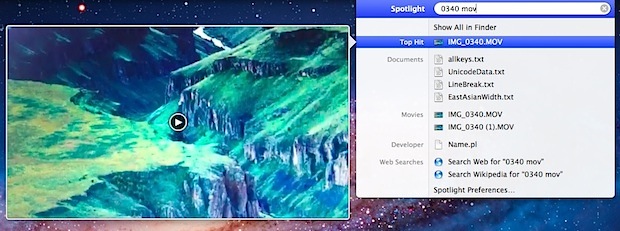
From Mac OS X Lion and onward, videos and movie files can be previewed and played directly in the Spotlight search results menu. To try this out for yourself:
This isn’t really a viable option to watch a long video, but it is extremely useful to quickly locate a specific video or a scene within some movie file without opening a ton of individual files into QuickTime Player. A similar feature lets you play videos directly in a Finder window, that feature works in Mac OS X 10.6 and earlier as well.
|
| The Original Apple iPhone… from 1983 Posted: 13 Apr 2012 09:34 AM PDT
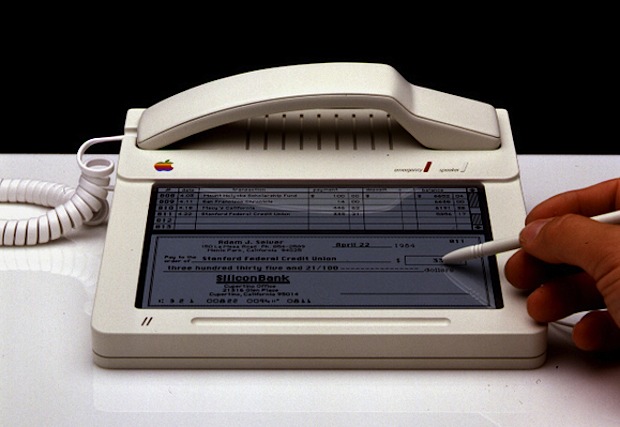
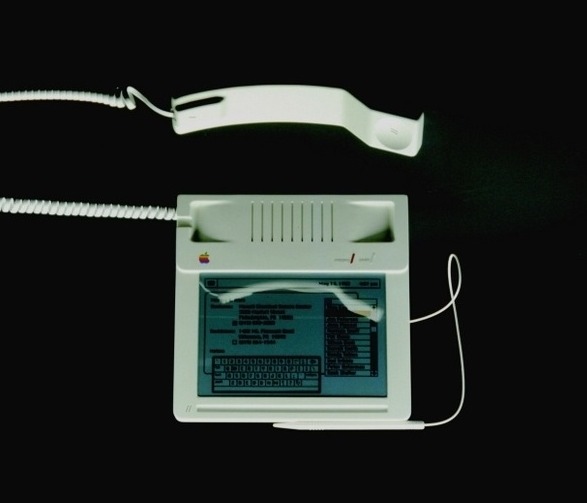
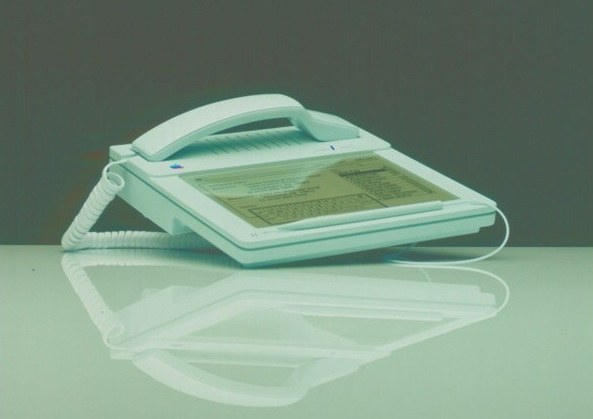
Apple was busy dreaming about the future 29 years ago, long before the days of the iPhone, touch screens, cell phones, and even cordless phones. As this Apple product concept from 1983 shows, the company envisioned an Apple phone complete with a Mac-like OS, touch screen, touch keyboard, and even a stylus to navigate the onscreen elements. Of course this particular phone never went anywhere, but it does show Apple’s tradition of dreaming big and being years ahead of their rivals in imagination alone.
These particular concepts were created by one of Apple’s famous first industrial designers, Hartmut Esslinger of frogdesign. You can see more old Apple product concept pictures at fudder.de alongside a fascinating article about Apple’s early design, though it’s in German so the English translation is a bit rough.
Conceptually this one looks much more useful than the silly looking literal Apple phone from 1985, which was shaped like an actual Apple logo.
|
| Remove Flashback Trojan from Mac OS X with New Software Update from Apple Posted: 12 Apr 2012 01:39 PM PDT
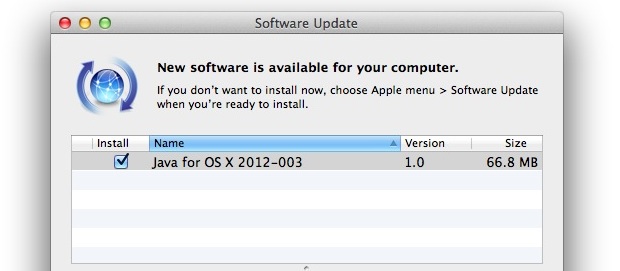
Apple has released a new Java security update that automatically removes the most frequently occurring variations of the Flashback trojan malware. The software update is recommended for all Mac users to install, even if they have previously checked their systems for infection. To get the update and remove any malware that is potentially on a Mac, simply download the “Java for OS X 2012-003″ update from Software Update found within the Apple menu. There is no manual checking or removal required, simply installing the update from Apple resolves any potential infection for you. The new Java update also disables automatic execution of Java applets, providing further security against potential threats down the road. Release notes are as follows:
All Mac users should install the update as soon as possible. For extra protection, don’t miss our recent post on some simple tips to secure Mac OS X from viruses, malware, and trojans.
|
| iPad Retina GUI Elements PSD Template Now Available for Free Posted: 12 Apr 2012 11:50 AM PDT
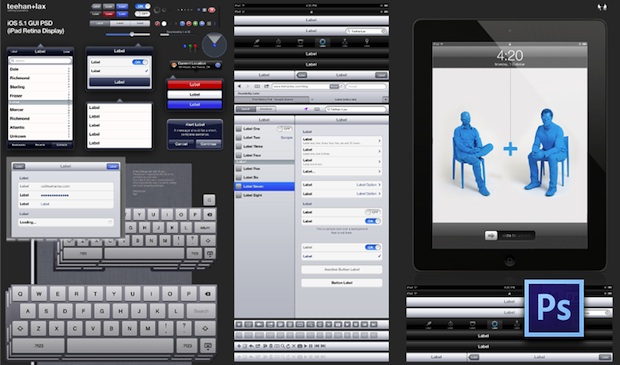
Designers and developers will appreciate the newly released retina iPad GUI elements template available now as a free PSD download from Teehan+Lax. Based on iOS 5.1 and the new iPad’s retina UI elements, these PSD files are an excellent resource for quickly mocking up iPad apps, workflows, and general iOS concepts. You’ll need Adobe Photoshop to properly use the PSD file and it’s intensive layering, but the excellent Photoshop CS6 beta is still free to download and use until the final release comes out later in the year. We’ve posted a lot of these UI element and iOS and OS X design templates here before because they’re so useful for both developers and designers. If you missed some of those past posts, varoius PSD templates are available for OS X Lion elements, non-retina iOS UI, iPhone & iOS 5 UI, and even retina iOS icon templates.
|
| You are subscribed to email updates from OS X Daily To stop receiving these emails, you may unsubscribe now. | Email delivery powered by Google |
| Google Inc., 20 West Kinzie, Chicago IL USA 60610 | |
0 comments:
Post a Comment