


OS X Daily: “Enable the iPhone Camera Grid to Take Better Pictures” plus 2 more |  |

- Enable the iPhone Camera Grid to Take Better Pictures
- Try Windows 8 Consumer Preview on a Mac with VirtualBox
- Mac Setups: iOS Developers Home Office
| Enable the iPhone Camera Grid to Take Better Pictures Posted: 04 Mar 2012 09:23 AM PST
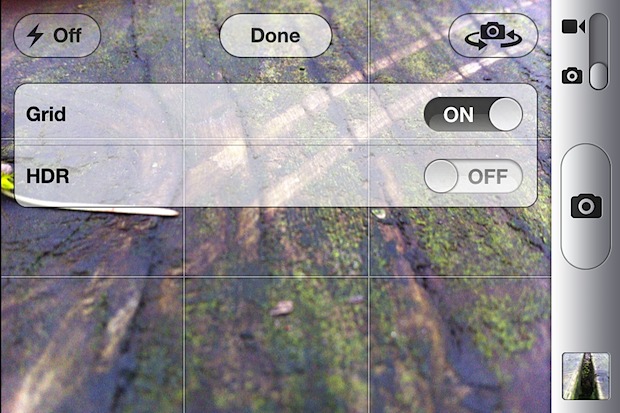
Turning on the iPhone camera grid makes it easier to take better pictures, here’s how to enable it:
The grid will not appear on finalized images in the photo stream. What’s the point? If you’re new to photography or don’t know why the grid is potentially useful, the grid makes composing images using the “rule of thirds” easier. Essentially that means by dividing a picture into horizontal and vertical thirds and placing compositional elements along those lines and intersections, you’ll end up with better pictures. It’s an old artistic technique that has been around for hundreds of years.
The animated gif shown above from Wikimedia demonstrates this well, and there is more information on Wikipedia if you want an in depth explanation of the technique and its usage in art and photography throughout history. The grid option is available only to iOS devices with a camera using iOS 5 and later.
|
| Try Windows 8 Consumer Preview on a Mac with VirtualBox Posted: 03 Mar 2012 12:03 PM PST
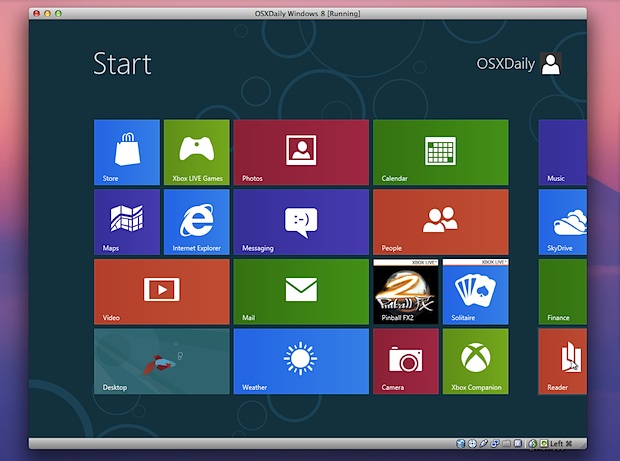
You probably know by now that Windows 8 Consumer Preview was released recently. This is what Microsoft is betting their future on, combining their traditional desktop experience with the all new tiled Metro interface, aimed at tablets and portable computers. Thanks to virtualization, anyone can try Windows 8 easily right on top of their current operating system. This makes it easy to both install and also remove later when you’re done with it. While this article is intended for Mac users, VirtualBox will run in Linux, Solaris, and Windows as well, so you can take this to just about any platform. Everything is free and there is little risk to trying this out. If you’ve been curious about Windows 8 this is the easiest way to get direct experience with it. Here’s what you’ll need to get started:
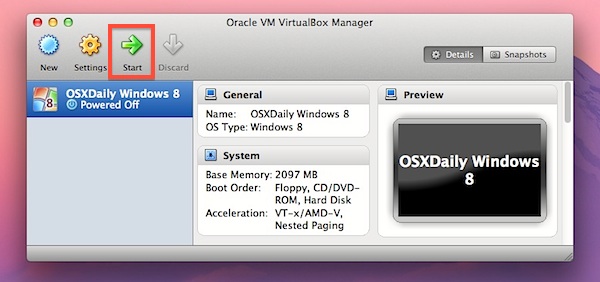
Be sure to match the version of VirtualBox to the version of Windows 8 Consumer Preview that you download, if you get one in 64-bit, get both in 64-bit, same goes with 32-bit versions. For the best performance, you’ll want to use a reasonably new computer with at least 4GB of RAM. As usual, VM’s are much faster running off of an SSD, but it isn’t a requirement. Installing Windows 8 Consumer Preview in VirtualBox
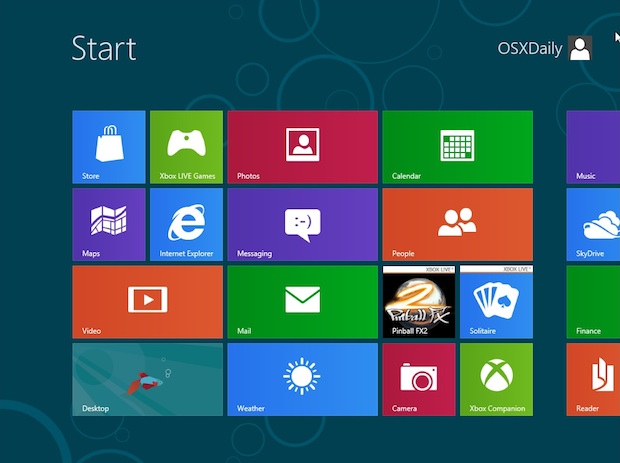
Really the best part about Windows 8 is the Metro interface. The redesigned user interface is obviously suited for tablets and touch surfaces, but it works with a mouse and trackpad too to get a feel for things. Put VirtualBox into full-screen mode for the best experience here, and remember this is a Consumer Preview (public beta) and it’s currently lacking multitouch support so not everything will be identical to the final version.
If you want access to the Windows 8 App Store, you’ll need a Microsoft login through hotmail, MSN, or just create one when necessary. You’ll find a handful of free apps available to play around with, including some popular games. You’ll notice that even in the traditional desktop mode there are some major changes, most notably there is no Start menu, making this the first major UX change for Windows since Windows 95 really.
All in all it’s an interesting operating system to check out, but I’ll be staying with a Mac. If you saw us cover this before, you’ll find the latest version of VirtualBox makes installing Windows 8 Consumer Preview much easier than the original Developer Preview, and there is practically no configuration required to get everything working. Nice!
|
| Mac Setups: iOS Developers Home Office Posted: 03 Mar 2012 11:43 AM PST
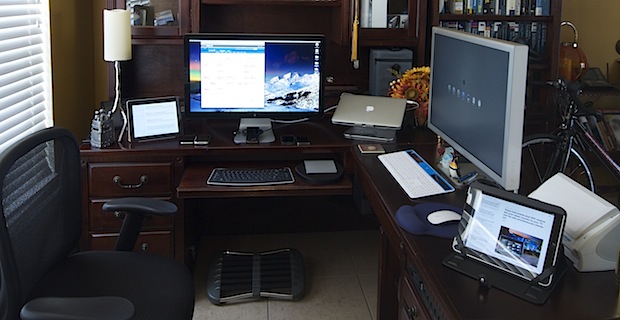
Ever wonder what an iOS developers home office looks like? This great Mac setup should give you an idea. Coming to us from Henry in Florida, this setup is used primarily for iOS development and photography. There’s a lot of great Apple hardware here, including:
There’s a Magic Trackpad and Magic Mouse in there too, and the MacBook Air looks to be on an mStand If you’re wondering why so many iPhones and iPads are necessary, keep in mind developers need a handful of devices around to test for compatibility and to find obscure bugs that only pop up in certain versions of iOS. Great Mac setup Henry! Send us pictures of your Apple & Mac hardware setups! Email them to osxdailycom@gmail.com and include some brief details on the hardware and what you use it for.
|


 from Rain Design.
| You are subscribed to email updates from OS X Daily To stop receiving these emails, you may unsubscribe now. | Email delivery powered by Google |
| Google Inc., 20 West Kinzie, Chicago IL USA 60610 | |
0 comments:
Post a Comment