


OS X Daily: “Force iOS Devices to Recalculate “Other” Capacity in iTunes” plus 2 more |  |

- Force iOS Devices to Recalculate “Other” Capacity in iTunes
- Change Length of Bash Command History or Disable Bash History Completely
- Disable the File Extension Change Warning in Mac OS X
| Force iOS Devices to Recalculate “Other” Capacity in iTunes Posted: 12 Apr 2012 09:05 AM PDT
The “Other” capacity in iTunes is supposed to estimate the size of system software, contacts, Messages data, and things that are not listed elsewhere in the capacities list. Sometimes other data will become mislabeled or misappropriated to the “Other” category, and suddenly it’s reported as being much larger than it actually is. Though this has no impact on device performance some people find it annoying, so here’s an easy fix:
The Other space should recalculate to be a reasonable amount, though you may need to relaunch iTunes to see the change. If the above method didn’t work for you, try the traditional approach to fixing a gigantic Other category size, you may need to restore the iOS device though. Thanks to hironaka and alan for the tip
|
| Change Length of Bash Command History or Disable Bash History Completely Posted: 12 Apr 2012 08:54 AM PDT
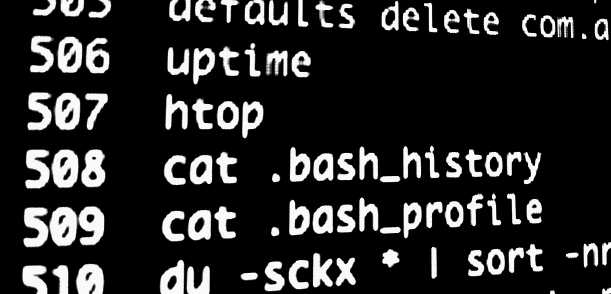
A users .bash_history file keeps a running tab of command line history, logging every command that has been entered into the bash prompt. These command history files make it very easy to find and recall past commands that may have been forgotten, and they’re also extremely useful for system administration. We will cover how to change the stored length of these files, how to disable it, and also how to quickly check a users bash history. Changing Bash History LengthTo increase the history length of a users command history, add the following line to .bash_profile:
The example above will increase the history size to 2500 commands, that can be changed to any other number as deemed appropriate. Disable Bash HistorySetting the HISTFILESIZE number to 0 within .bash_profile will disable bash command history completely:
Having the history file disabled does not effect command recall, but it does prevent a super user from easily seeing the commands entered into another users shell. Checking Bash HistoryThere’s a few quick ways to see command history, to see your own type:
You can also export that command history to a file with the -w flag:
To see another users command history, use cat with their .bash_history file instead:
Remember that if USERNAME has set their history file size to zero, nothing will be shown. Practical Applications for Mac Users
|
| Disable the File Extension Change Warning in Mac OS X Posted: 11 Apr 2012 11:41 AM PDT
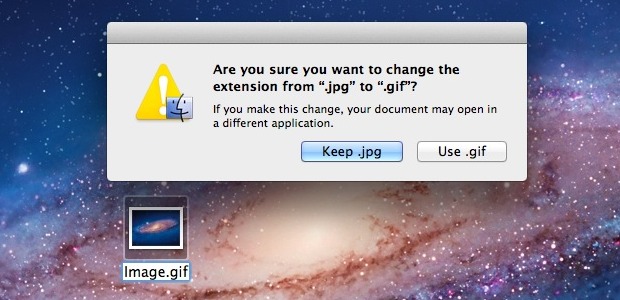
Assuming you have file extensions shown in the OS X Finder, attempting to change a file extension causes a warning dialog with a confirmation box to appear. This is annoying if you know what you’re doing and you have a compelling reason to change extensions, so let’s turn it off using the command line and defaults write. First, open the Terminal, located within the /Applications/Utilities/ directory, then copy and paste in the following command:
Follow that up by relaunching the Finder with killall:
To reverse the change and get the warning back when you attempt to change file extensions, use the following defaults write command:
Kill the Finder again for changes to take effect.
|

| You are subscribed to email updates from OS X Daily To stop receiving these emails, you may unsubscribe now. | Email delivery powered by Google |
| Google Inc., 20 West Kinzie, Chicago IL USA 60610 | |
0 comments:
Post a Comment