


OS X Daily: “Detect FlashBack Malware in Mac OS X the Easy Way” plus 2 more |  |

- Detect FlashBack Malware in Mac OS X the Easy Way
- Enable Half-Star Ratings in iTunes
- How to Unlock an iPhone with AT&T
| Detect FlashBack Malware in Mac OS X the Easy Way Posted: 09 Apr 2012 10:40 AM PDT
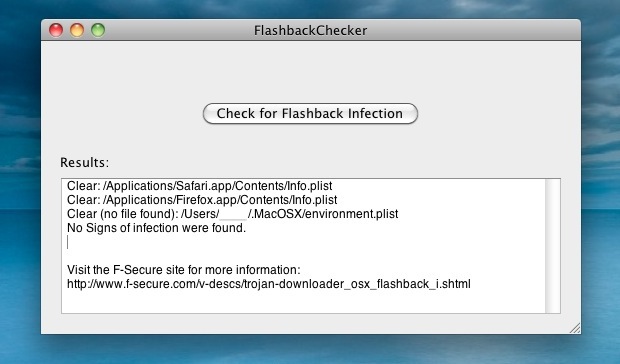
A new application has been released which makes checking a Mac for the Flashback malware infection as simple as clicking a button. This is a huge help for assisting less tech savvy people for checking their Macs, though if you follow us you probably already checked for the Flashback trojan using the manual Terminal method. This new app-based detection method is very nontechnical and is just a two step process:
If the “No Signs of infection were found” message appears you are safe, and the chances are extraordinarily good that you will not have the infection. If you see a “Potential Issue found” message, you may have the malware, though this is exceedingly rare and we haven’t heard of a single confirmed case in our sizable readership. Just because you don’t have the infection doesn’t mean you should become complacent though. Be sure to update to the latest versions of Java for OS X, and don’t miss our post on eight simple tips to protect a Mac from viruses, trojans, and malware, a little prevention goes a long way. Thanks for the tip Scott
|
| Enable Half-Star Ratings in iTunes Posted: 09 Apr 2012 09:38 AM PDT
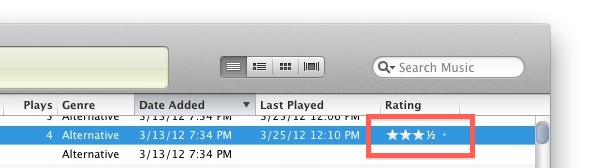
iTunes allows users to rate songs on a 1 star to 5 star basis, song rating data can then be used for a variety of purposes, either for your own reference or for creating custom play lists that only include songs rated over a certain star value. But what if a song is somewhere in the middle of the rating scale, not quite worthy of 4 stars but not a 3 star song either? For more precise personal ratings, enable the half-star rating option in iTunes. Launch the Terminal, found within the /Applications/Utilities/ directory, and enter the following defaults write command:
Quit and relaunch iTunes for changes to take effect. To give something a half star, click and slide the star rating scale until the 1/2 value shows. To remove the half-star rating option use the following defaults command and then relaunch iTunes again:
Removing the half stars moves the song rating to the star below it, so a 3 1/2 star song would turn into a 3 star song, and so on.
|
| How to Unlock an iPhone with AT&T Posted: 09 Apr 2012 01:27 AM PDT
As expected, you can now unlock an iPhone that is out of contract with AT&T. The process is straight forward and simple assuming you meet the basic requirements. Requirements:
If you meet those requirements, proceed: Unlock an iPhone Out of Contract with AT&T
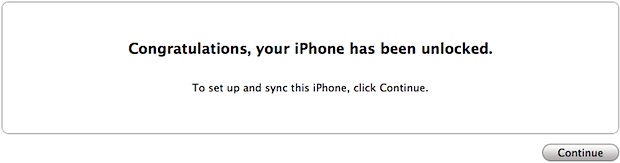
AT&T will initiate a request to unlock the iPhone and then you have to restore the iPhone through iTunes to complete the device unlock. With the device unlocked, a micro-SIM from T-Mobile or other compatible networks will now work in the iPhone.
The time it takes to receive the unlock instructions seem to vary widely, with requests being made earlier in the day being fulfilled sometimes with an hour, while later requests given up to two weeks wait time.
|

| You are subscribed to email updates from OS X Daily To stop receiving these emails, you may unsubscribe now. | Email delivery powered by Google |
| Google Inc., 20 West Kinzie, Chicago IL USA 60610 | |
0 comments:
Post a Comment