


OS X Daily: “11 Tips to Get the Absolute Best Battery Life on a Mac Laptop” plus 2 more |  |

- 11 Tips to Get the Absolute Best Battery Life on a Mac Laptop
- 3 Beautifully Subtle Wallpapers for Mac, iPhone, and iPad
- How to Forward a Text Message on iPhone
| 11 Tips to Get the Absolute Best Battery Life on a Mac Laptop Posted: 16 Apr 2012 10:43 AM PDT
Macs have pretty amazing battery life to begin with, but following a few simple tips will help you to get the absolute best battery performance out of a MacBook, MacBook Air, or MacBook Pro. The primary goal here is to reduce overall power consumption on the Mac laptop and we’ll cover a few different techniques to do this. For casual Mac users simply reducing screen brightness is typically more than adequate to get great battery life, so the tips below are intended for true road warriors who demand the absolute best battery life possible out of their portable Macs.
Bonus Tip 1: Use an Ad Block Plugin – Going beyond ClickToPlugin, using an ad blocking plugin for the preferred web browser can make a substantial difference in battery life by preventing unnecessary movies, Flash, HTML5, JavaScript, and other page elements from loading. You can find a good list of ad block plugins here – and yes we’re a website supported entirely by advertising revenue, but using ad blockers can make such a big difference in battery performance we’d be doing a disservice to our readers to not mention their utility. Bonus Tip 2: Use the Battery Indicator Menu – Use the battery indicator menu to show you remaining battery life, this helps to give you battery feedback on settings and usage habits, plus you won’t be caught off guard if you’re suddenly at the tail end of battery drain. If you enjoyed this, don’t miss our tips to get the best battery life with an iPad or some more general tricks to maximize battery life on iOS devices, including iPhone. Have any battery saving tips? Let us know in the comments!
|
| 3 Beautifully Subtle Wallpapers for Mac, iPhone, and iPad Posted: 16 Apr 2012 09:39 AM PDT
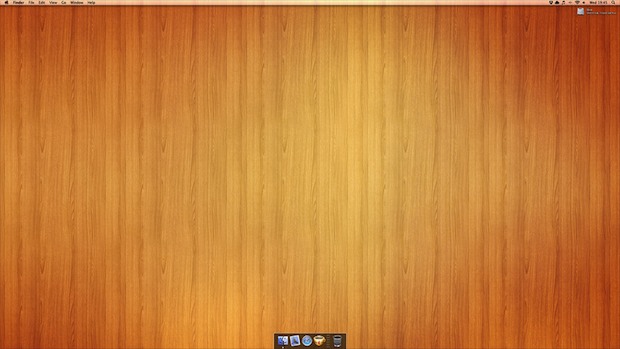
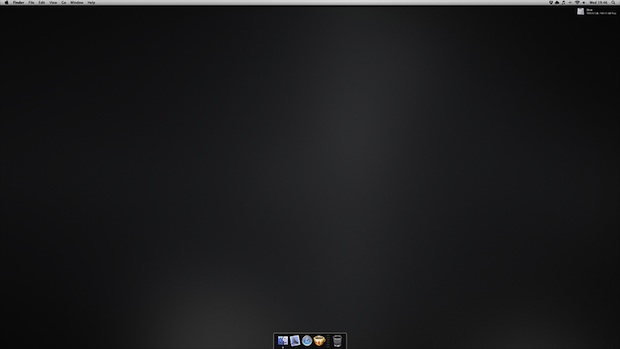
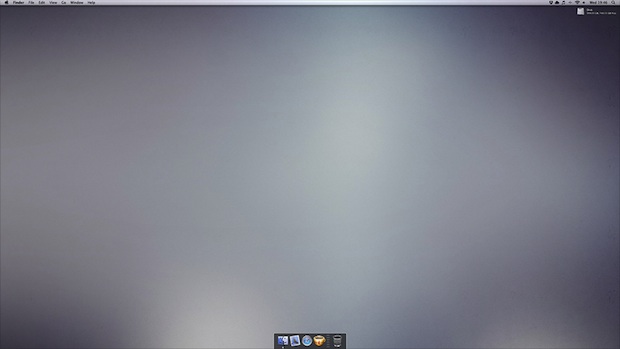
Looking for some nice mellow wallpapers to add to your Mac, iPhone, or iPad? The DizzyUp collection features three beautifully subtle wallpapers in a wide variety of common screen resolutions and has also been updated to support the 3rd gen iPad retina 2048×2048 display. The wood paneling is my personal favorite of the group, but if you’re into minimalist wallpapers you won’t want to miss the other two dark & light wallpapers either, which feature unobtrusive gradients over a some gentle patterns. (BTW the light desktop background image looks great with a retro-fied Classic style Mac OS X desktop) Heads up to 512pixels for the reminder these exist, and for pointing out the iPad retina update.
|
| How to Forward a Text Message on iPhone Posted: 16 Apr 2012 09:02 AM PDT
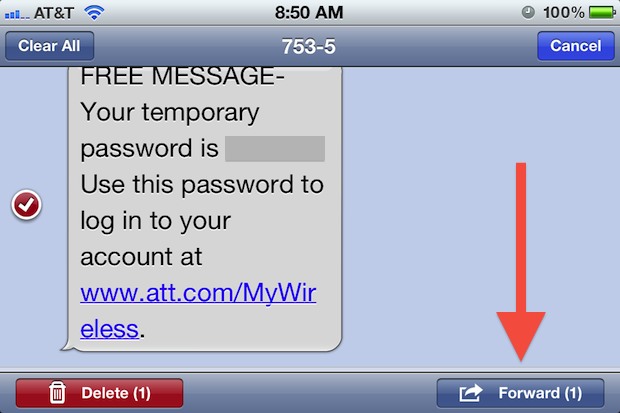
Forwarding text messages from one sender to another is made very simple on the iPhone. The process is the same whether it’s a text, SMS, MMS, or even an iMessage:
The forwarded message sends to the recipient as any other message would, and an SMS or MMS can be forwarded as a mass text message as well. Group texting is useful for reducing text message fees with some providers and it’s also a great way to annoy your entire iPhone address book. And yes, text messages can be forwarded from an iPhone to iPad, iPod touch, or Mac running Messages, and vice versa, though sending to a device other than an iPhone obviously won’t register as an SMS.
|

| You are subscribed to email updates from OS X Daily To stop receiving these emails, you may unsubscribe now. | Email delivery powered by Google |
| Google Inc., 20 West Kinzie, Chicago IL USA 60610 | |
0 comments:
Post a Comment