


OS X Daily: “iPad 3 Pricing Revealed?” plus 2 more |  |

- iPad 3 Pricing Revealed?
- iOS 6 Development Under Way
- 10 Ways to Get OS X Mountain Lion Features on your Mac Right Now
| Posted: 02 Mar 2012 06:48 PM PST
The iPad 3 will be priced the same as existing iPad 2 models, even though it is expected to have a significantly improved Retina display, a more powerful processor and graphics capabilities, and 4G LTE connectivity. This unsurprising report comes from 9to5mac, who cites a traditionally reliable source who even provided model numbers of the next-generation iPad. This means pricing for iPad 3 will be as follows: Wi-Fi Models
Cellular 3G / 4G LTE (?) Models
9to5mac also mentions that some countries with a stronger currency will actually see prices for the iPad 3 go down slightly, though those countries and the final sale prices are not yet known. While Apple rarely increases the price of products, there was a brief rumor passed around that pricing for the next gen iPad would be slightly higher to accommodate for increased production costs. That sounded unlikely to begin with, and now it appears even less likely. The model numbers for iPad 3 are alleged to be as follows:
J1 is said to be Wi-Fi and J2 are said to be cellular connected models. Presumably there are two of each to account for the iPad being available in both black and white colors. iPad 3 will be launched on March 7 and is expected to ship soon after.
|
| Posted: 02 Mar 2012 12:23 PM PST
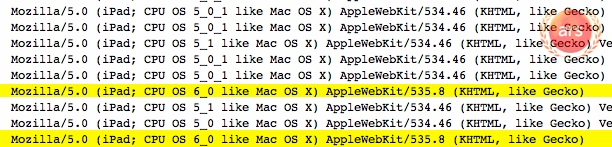
iOS 6 running on an iPad is beginning to make appearances in web logs, indicating that Apple is working on a future release of their mobile operating system. Virtually nothing is known about iOS 6 at this time, but it should come as no surprise that Apple is working on versions of iOS beyond the current iOS 5.1 beta. The iOS 6 server log entries were first noticed by ArsTechnica, who narrowed down the origin of the iOS 6 user agents to Cupertino, California, the home of Apple Inc. Similar finds have become a somewhat reliable method of discovering future Apple OS releases prior to announcement, as demonstrated by with OS X 10.8 last October and OS X 10.7 a full year before its debut. This doesn’t indicate that iOS 6 will be released anytime soon however, though speculation suggests we could see an iOS 6 beta as soon as WWDC 2012. Of course, it’s always possible that Apple will surprise everyone and skip iOS 5.1 completely in favor of iOS 6, but that seems unlikely given the current version of iOS is 5.0.1. The public version of iOS 5.1 is widely believed to debut as a free update alongside the launch of iPad 3 next week on March 7. It is worth pointing out that spoofing user agents is ridiculously easy. For example, the string below will spoof a similar iOS 6 and iPad user agent to the target server of osxdaily.com, change the URL at the end to something else if you wish to fool others.
That wouldn’t change your geographical location though, so you may need to book a flight to Cupertino if you really want to trick someone.
|
| 10 Ways to Get OS X Mountain Lion Features on your Mac Right Now Posted: 02 Mar 2012 11:42 AM PST
Can’t wait for OS X Mountain Lion to be released this summer? You can get many of the features of the next generation Mac OS X version right now. Whether you are running OS X Lion or to an extent, OS X Snow Leopard, read on to find out how to get everything from notifications, note syncing, synced reminders, iMessages, the simplified Safari UI, Twitter integration, AirPlay mirroring, and much more.
Get the Wallpaper – NGC 3190 GalaxyFirst things first, let’s make OS X Lion look a bit more like Mountain Lion. The easiest way is to get OS X Mountain Lion’s lovely new galaxy wallpaper and set it as your default, click on the image below to download the full sized version. This is amongst the most basic thing you can do, but who doesn’t like a good wallpaper anyway?
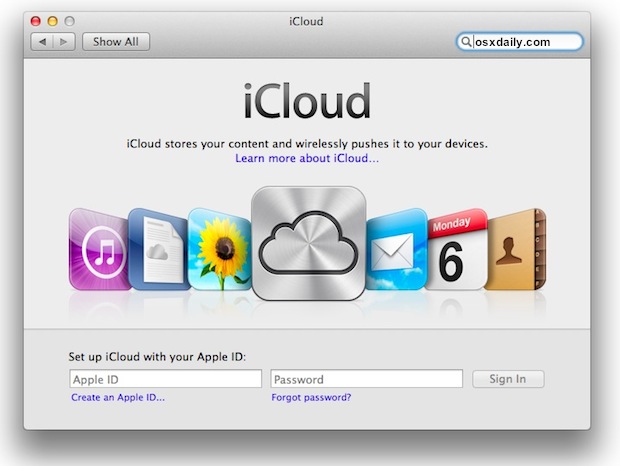
Sign Up for iCloudiCloud is deeply integrated into OS X Mountain Lion, from file save dialogue boxes to just the simple ability to sync things like Contacts, Reminders, Notes, music, apps, and more. The good new sis that much of this is already available to users of OS X Lion and iOS 5 or later. You should have set it up already, but if you haven’t done it yet, do it now and start syncing things between iOS and OS X now. It’s free, there’s no reason not to use it.
iMessages – Messages for MaciMessages has come to the Mac to replace iChat, allowing for unlimited communication and file transfers between Macs, iPad, iPhone, IPod touch, without ever using a single SMS. Messages for Mac is a public beta that is available to download right now from Apple. This will replace iChat, but you can always uninstall Messages and get iChat back if you want.
Notifications Center – GrowlOS X Mountain Lion brings Notifications Center from iOS to the Mac desktop. For OS X Lion users, you can mimic similar features by getting the free Growl fork for Lion to start getting notifications from compatible apps. Like Notifications Center’s alerts, Growl alerts will pop-up on the right-side of the screen, although there isn’t a fancy swipe gesture to reveal and hide the alerts panel like there is in OS X Mountain Lion, it’ll get the job done.
Unify Safari URL & Search Bar – OmnibarSafari in Mountain Lion cleans up the UI and combines the URL and search bar into a single bar, much like Chrome. We’ve covered Omnibar before, you can either get the full-fledged SIMBL version or grab a Safari Extension directly from Apple’s Safari extensions site, just click on Search Tools, find OmniBar, and click “Install”.
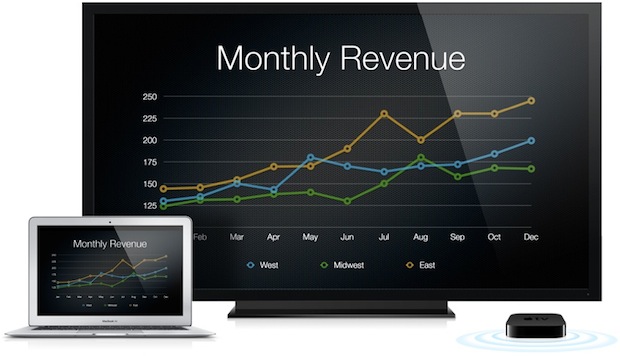
AirPlay Mirroring – AirParrotAirPlay Mirroring is built into OS X Mountain Lion and will allow you to mirror your Mac screen to an Apple TV. This is a great feature, but rather than waiting, you can mirror your Mac elsewhere right now with the help of the AirParrot app. It costs $10 and is a cinch to set up, created by the same guy who built the Reflection app that mirrors iOS to Macs, that latter feature is lacking in OS X 10.8, however (fingers crossed).
GateKeeperGateKeeper is Apple’s new initiative to prevent malware on the Mac. It does so by providing a choice to users to only allow apps from certified developers or the App Store. It’s not a necessary feature to use in OS X 10.8, but if you want to get something similar in OS X Lion there are a few ways to mimic this. The simplest way? Only download what you know is safe, either from reputable sources or from the Mac App Store. The hard way? This is a bit more technical, but anyone running OS X 10.7.3 can enable the basis of GateKeeper through System Policy Control right now, though the use is limited outside of developers. If you’re interested in the latter, here’s what to do:
Disable system policy control command-line tool “spctl(8)”
If you don’t know what you’re doing, you should probably keep it disabled for now so you don’t accidentally prevent yourself from installing apps and get encumbered with developer logs. For the curious, you can read more about spctl at Apple.com. Share SheetsShare Sheets is OS X Mountain Lion’s built-in social functionality, allowing you to easily send a tweet, upload a picture, send a link to Safari’s Reading List, email and message just about anything, post pictures to Flickr, upload videos to Vimeo, and more. Share Sheets work from just about anywhere, and the simplest way you can mimic the feature now is to sign up for a Twitter account. Then grab the free Twitter for Mac client, (follow us there while you’re at it) and learn to tweet from anywhere. You can take things further by adding Share Bookmarklets for your web browsers from Twitter and Facebook too.
Notes – EvernoteNotes in OS X Mountain Lion will sync the Notes app between Macs, iPhones, iPads, iPods, or all of the above. It’s a long great feature, but frankly the Notes app is a bit limited, and you can get an app with the same universal syncing functionality for free right now. Evernote is a free powerful app that seamlessly syncs just about anything you can store in the app between a Mac, iPhone, iPad, iPod touch, or anything else running the Evernote app. The service is free as long as you upload less than 60MB of notes per month, which if you think about it, is a ton of notes.
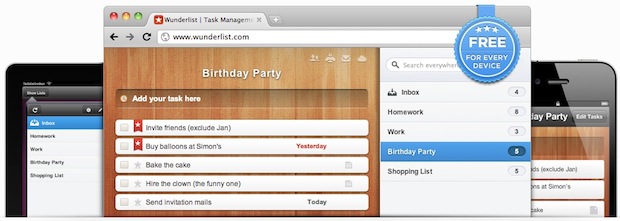
Reminders – WunderlistThe same Reminders app that is on your iPhone or iPad right now is coming to the Mac, and it will be synced through iCloud. Wunderlist does this and even exceeds some of Reminders features, it’s a free app that syncs task lists between Macs, PC’s, iPhones, iPads, you name it.
That just about rounds it out, if we missed anything or you can think of anything to add to this list, chime into the comments below! Of course, if you don’t want to mimic Mountain Lion, you can set up a dual boot between OS X 10.7 and OS X 10.8 and try it out yourself.
|








| You are subscribed to email updates from OS X Daily To stop receiving these emails, you may unsubscribe now. | Email delivery powered by Google |
| Google Inc., 20 West Kinzie, Chicago IL USA 60610 | |
0 comments:
Post a Comment